Separate summary from detail
The dashboard presents a compact balance and sync summary, while Overview gives categories and spending their own space. Distinct navigation destinations keep these levels of detail separate.

FINTECH / PERSONAL FINANCE
Bilance / Personal Finance App
A personal finance experience connecting financial overview, budgeting, and AI-assisted money conversations.
01 / THE CHALLENGE
Balances, transactions, categories, and upcoming commitments compete for attention in a financial app. This case study focuses on how the interface brings those different views together in a clear navigation structure.
THE APP / INTERFACE DETAILS
Dashboard, financial overview, AI chat, and planning—four views of the experience. Select any screen to open its clickable walkthrough.
Swipe to explore the screens →
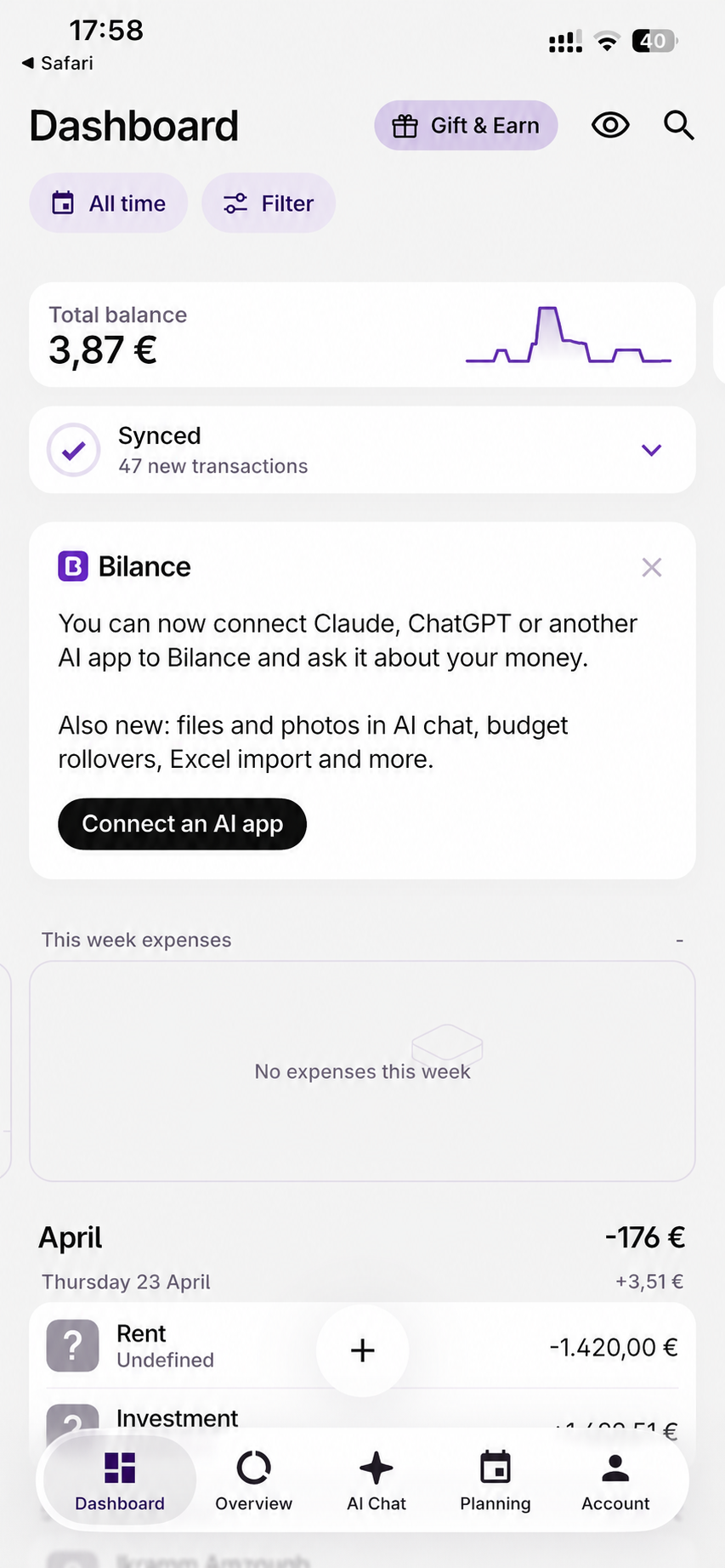
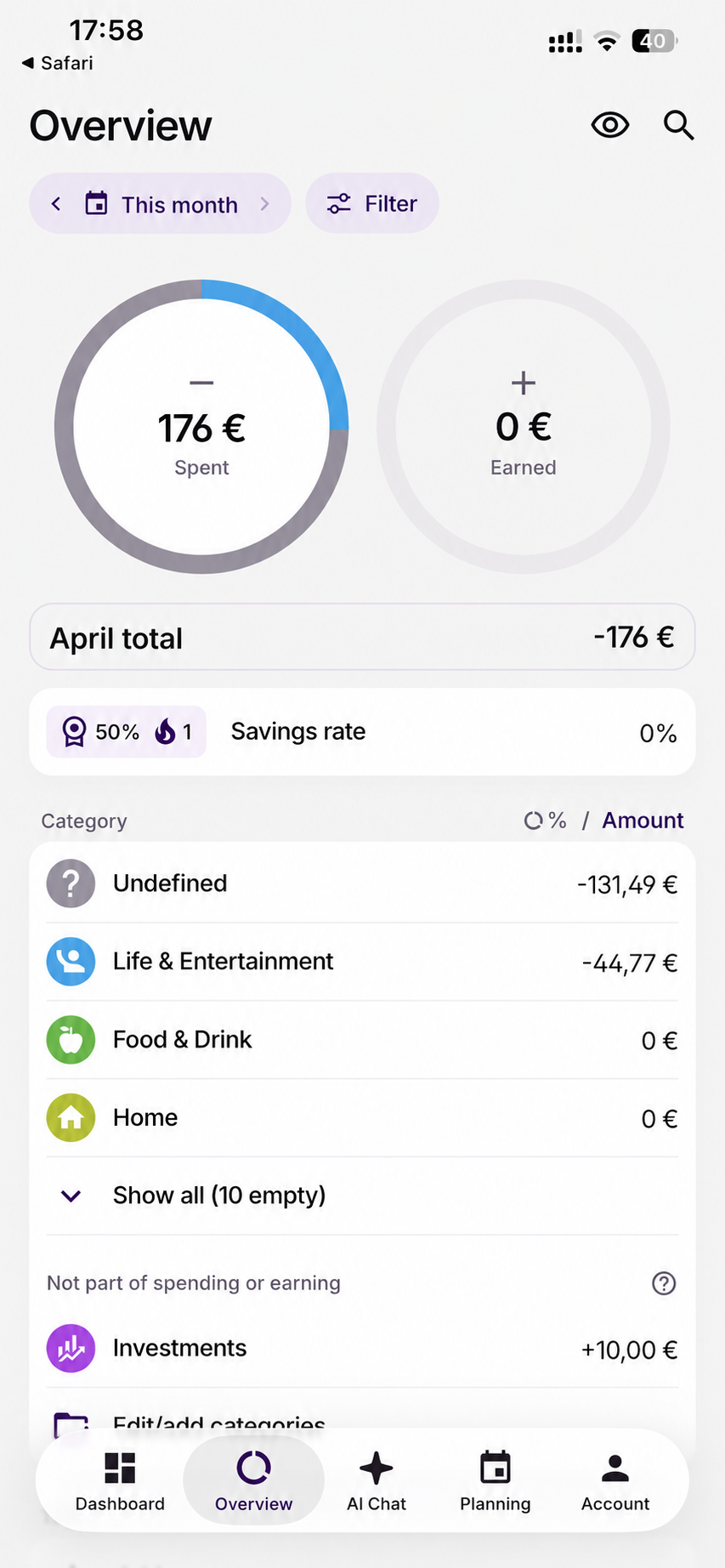
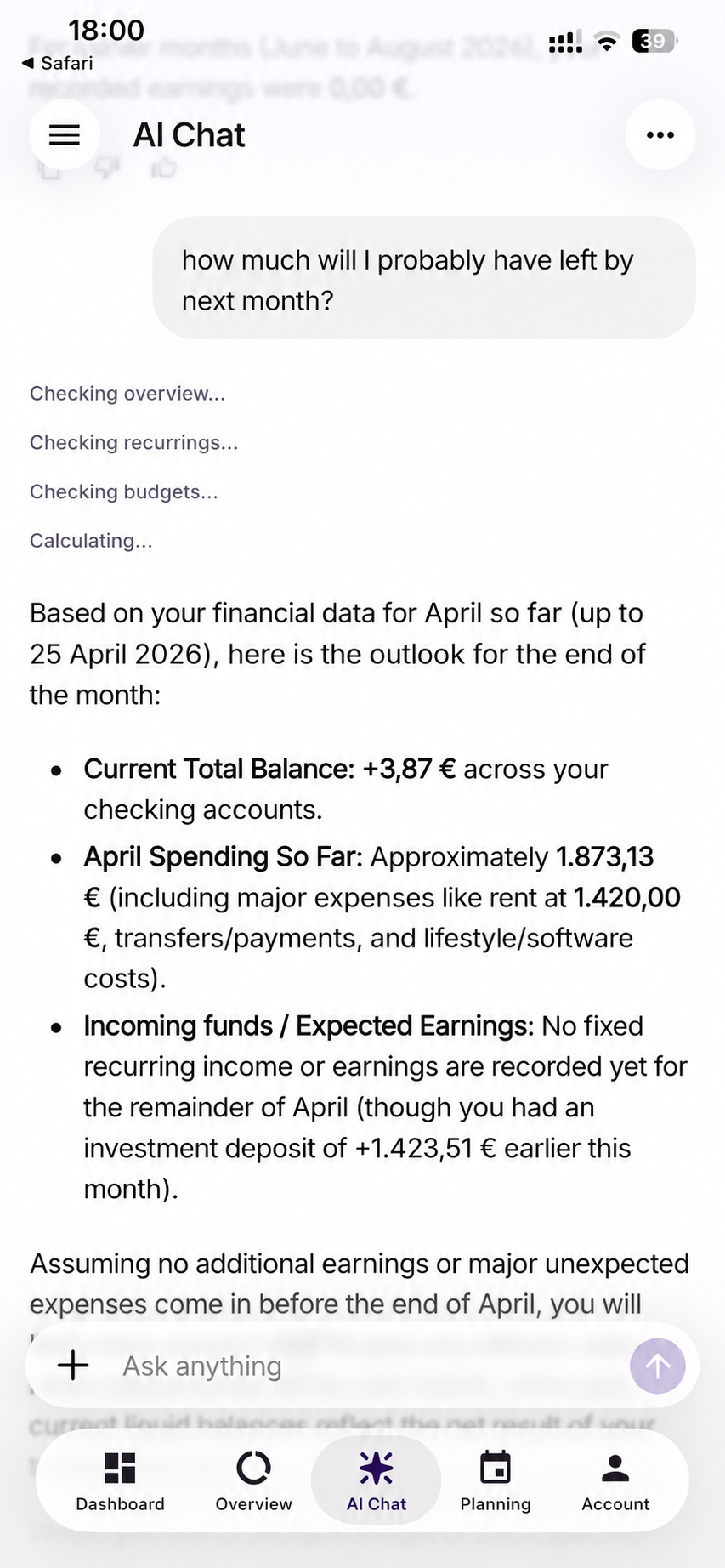
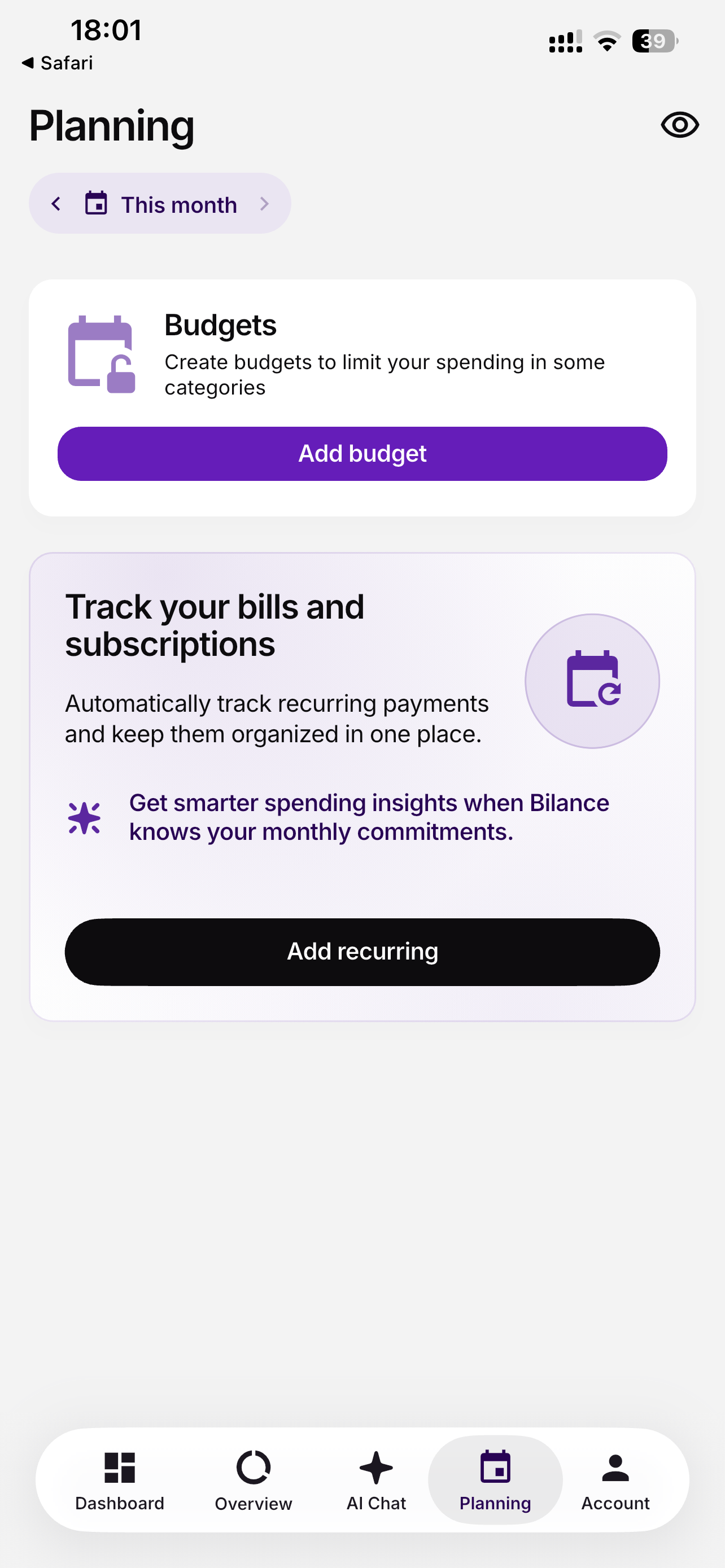
Screenshots supplied by Meryem Dogan. Visible month and date labels have been adjusted to April 2026 for this portfolio presentation.
A screenshot-based navigation prototype. Highlighted areas connect the supplied screens; amounts and text remain part of the images.
02 / MY APPROACH
My design work on Bilance brings the dashboard, financial overview, AI chat, and planning into a shared interface. The supplied screens show summary cards, category breakdowns, and direct entry points for budgets and recurring payments.
Core areas shown in the interface
03 / DESIGN DIRECTION
The dashboard presents a compact balance and sync summary, while Overview gives categories and spending their own space. Distinct navigation destinations keep these levels of detail separate.
The Planning screen provides visible actions for adding a budget or recurring payment. AI Chat offers a conversational entry point alongside the structured financial views.
My original portfolio presentation includes conversion and download outcomes. Explore the presentation for the reported results and project summary.
Read the original portfolio (opens in a new tab)NEXT CASE STUDY
EduHubE-Learning Platform